In short
- The problem
- Engaging tools look childish at work, and credible tools do not get finished.
- Research
- Interviews with 8 learning professionals and a survey of 40 adult learners, across four industries.
- What I did
- Designed a calm, credible baseline with play only where it helps learning, and separate experiences for managers and learners.
- The trade-off
- Less spectacle than classroom tools, accepted so senior staff take the content seriously.
- Status
- A concept. It has not been tested against a typical quiz tool.
Self-directed concept. The research was real and small: 8 interviews and 40 survey responses.
- Kahoot
- Quizizz
- Blooket
- Gimkit
- Articulate Rise
- Mentimeter, which sits closer to the middle but suits live sessions, not self-paced modules
The market had split into fun but unserious, or serious but dull
I audited the marketing sites, onboarding and in-product experience of six tools: Kahoot, Quizizz, Blooket, Gimkit, Mentimeter and Articulate Rise. They sat at two ends of a line. None of the six tools I reviewed did both.
Adults judge a learning tool in its first few seconds
I ran 30 to 45 minute semi-structured interviews with 8 learning and development professionals across financial services, healthcare, technology and professional services. I also surveyed 40 adults who had taken gamified training at work in the past 12 months, focusing on how visual tone shaped their attitude before they reached a single question.
| Finding | How many |
|---|---|
| Learning managers who had dropped a gamified tool after negative feedback from learners, most often because the tone felt wrong | 6 of 8 |
| Learning managers who could name a tool both engaging and credible enough for senior staff | None of 8 |
| Learners who said visual tone affected how seriously they took the content | About 30 of 40 |
The composite I drew from the interviews runs mandatory training for a large professional services firm, with a budget and no design support. She tried a quiz tool for a team away day, then for a compliance refresher, and pulled it after senior staff called it patronising. Her serious alternative looks credible, and nobody finishes it.
The manager and the learner hit friction at different moments
- Identify the need
- Choose a tool
- Build content
- Deploy
- Review completion
- Open the link
- Judge credibility
- Complete the module
- Get the result
For the manager, friction comes when choosing a tool and building content, where she is forced to pick between engagement and credibility. For the learner it comes immediately: they see the interface, judge it in seconds and treat the content accordingly. The tone is set when content is created and judged when it is consumed, by two different people.
Four rules I checked every screen against
- 1Professional by default, playful by earned momentA calm, credible baseline. Engagement appears where it serves learning, not as decoration.
- 2Respect the learner’s contextA compliance officer between meetings is not a student in a classroom.
- 3Separate authoring from learningThe manager needs efficiency. The learner needs clarity and pacing.
- 4Show progress, not performanceNo leaderboards. Progress belongs to the individual and is never ranked.
One sign-in, two different products behind it
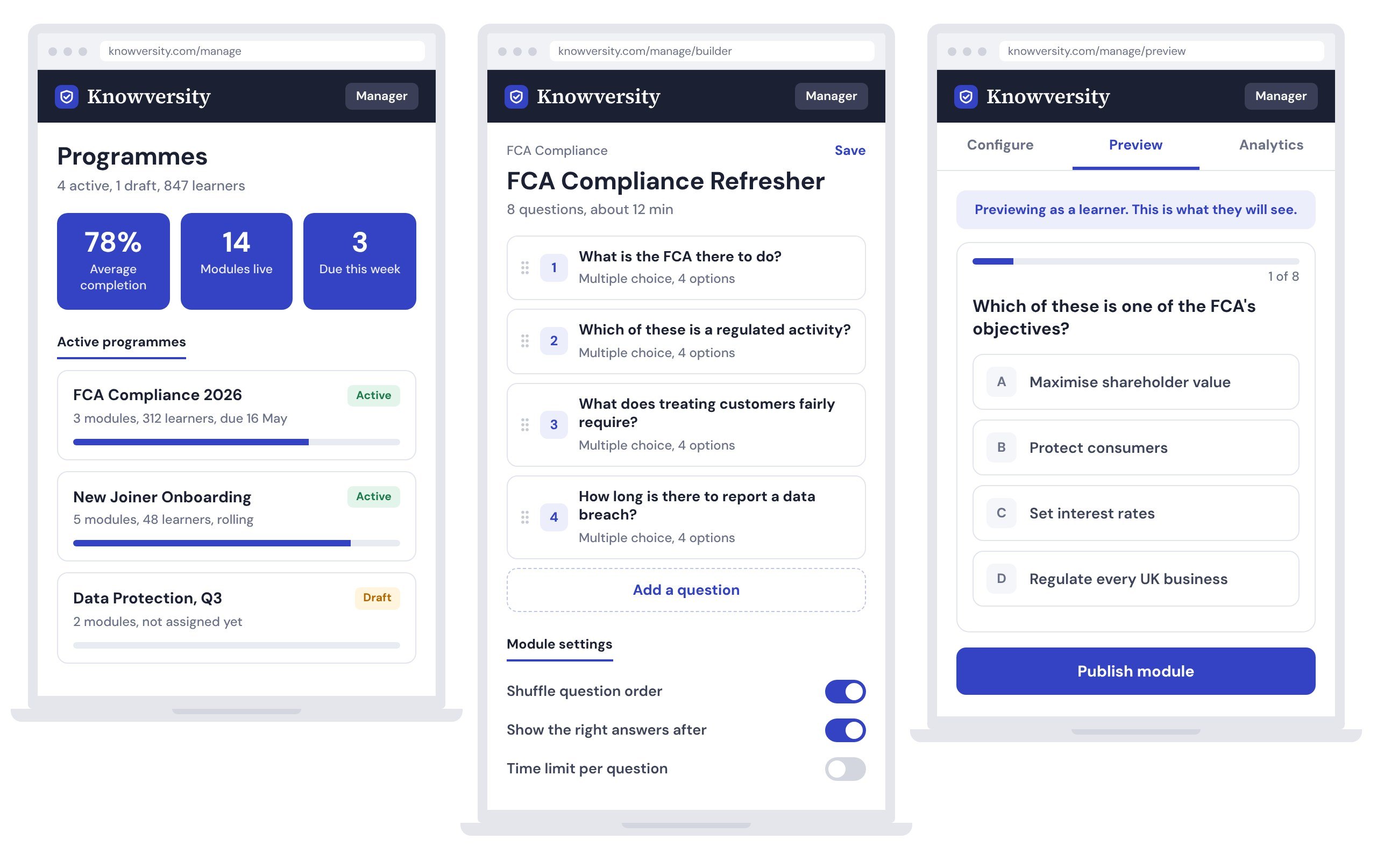
Managers work in programmes: collections of modules grouped by purpose, flat and operational. Learners see their own path: what is assigned, how far they are and what is due. They never see the administrative layer, and the manager can preview the learner’s view at any point.
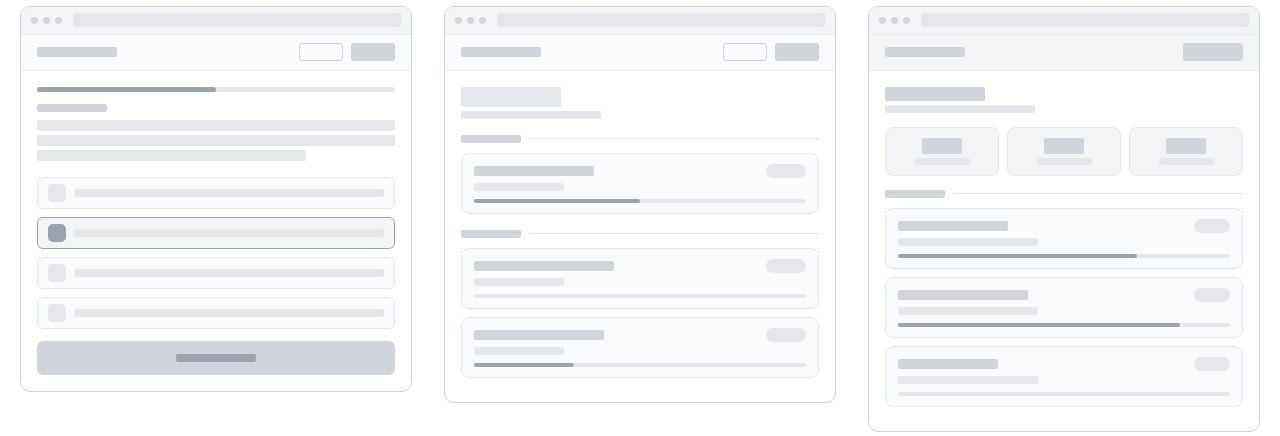 (opens the full-size image)
The wireframes stripped everything back to structure for the two people who matter most: a learner working through a module and a manager tracking a programme.
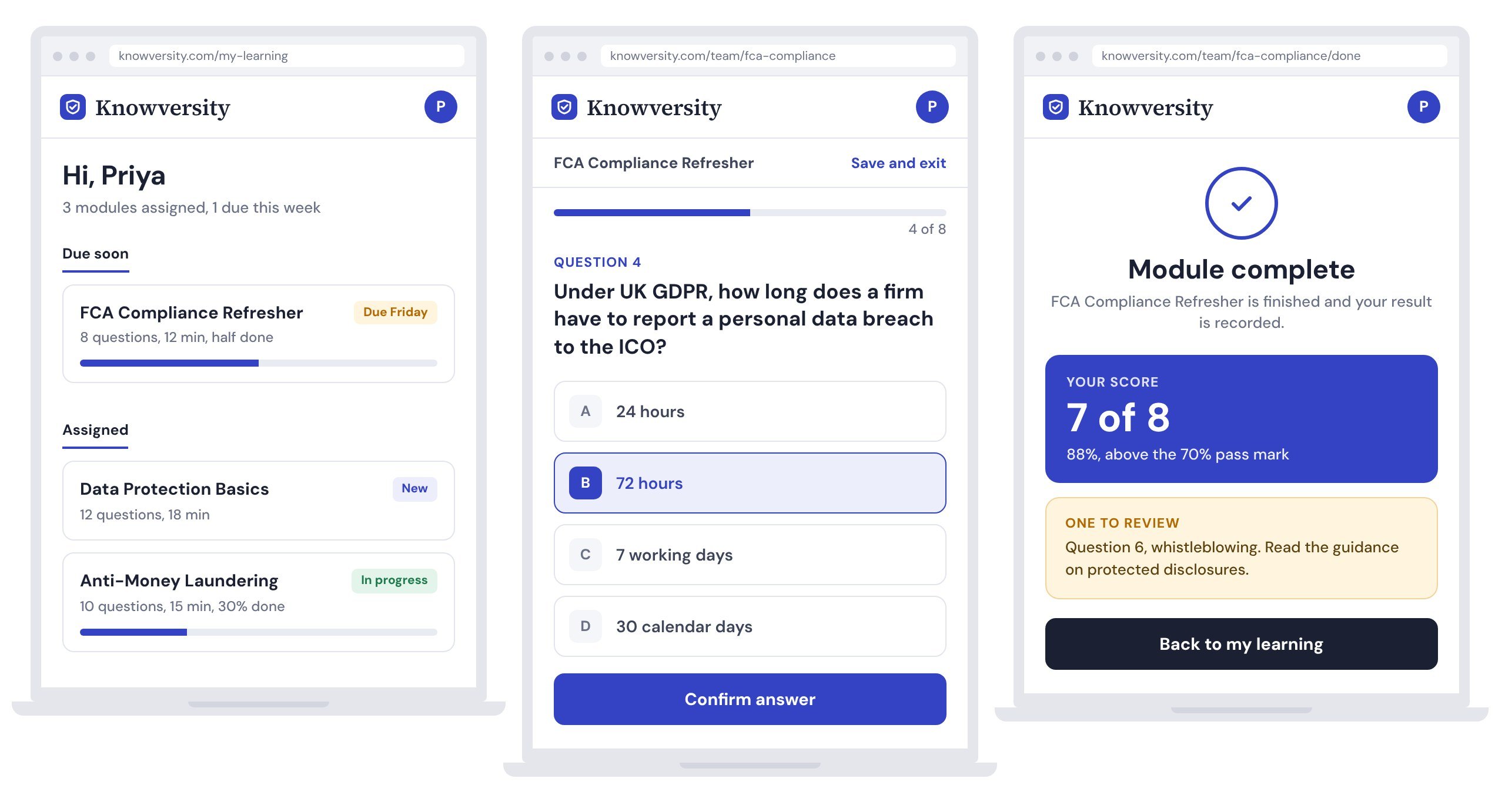
Calm by default, with play only where it helps learning
 (opens the full-size image)
One question at a time, no countdown and no leaderboard. Progress is shown to the individual and never ranked against colleagues, and the completion screen shows the score next to the one area worth reviewing.
 (opens the full-size image)
The manager’s side uses the same visual system with a dark bar, so it is clear when you are in the operational layer. Configuring a module and previewing it as a learner happen on the same screen.
 (opens the full-size image)
The research was enough to find the pattern, not to prove the fix
Eight interviews and 40 survey responses showed a consistent pattern, but not enough to say the design solves it. The test I still need to run is simple: put the same compliance module in front of two groups, one in a typical quiz tool and one in Knowversity, and compare who finishes and how seriously they rate it.
The biggest change in my own thinking was treating tone as a design variable. Colour, type, motion, copy and illustration together decide whether a tool is accepted or rejected before anyone reads a question. The tools I reviewed chose either engagement or credibility. I think a product can do both, but I have not tested that yet.
If this is relevant to a role you are hiring for, I am glad to walk through the research and the screens.